
A few weeks ago I wrote up what I wanted to get into the next update. It's out now on both iPhone and Android, so here's what made it in.
Events used to be a flat list of upcoming shows. It's been rebuilt. The upcoming shows are still there, laid out properly, and you can jump straight to a date instead of scrolling until you reach it.
The bigger addition is live events in your area. Turn location on and the screen shows you any wrestling happening within 50 miles. It stays off until you switch it on, and if you'd rather leave it off, the rest of the screen works the same as it always did.
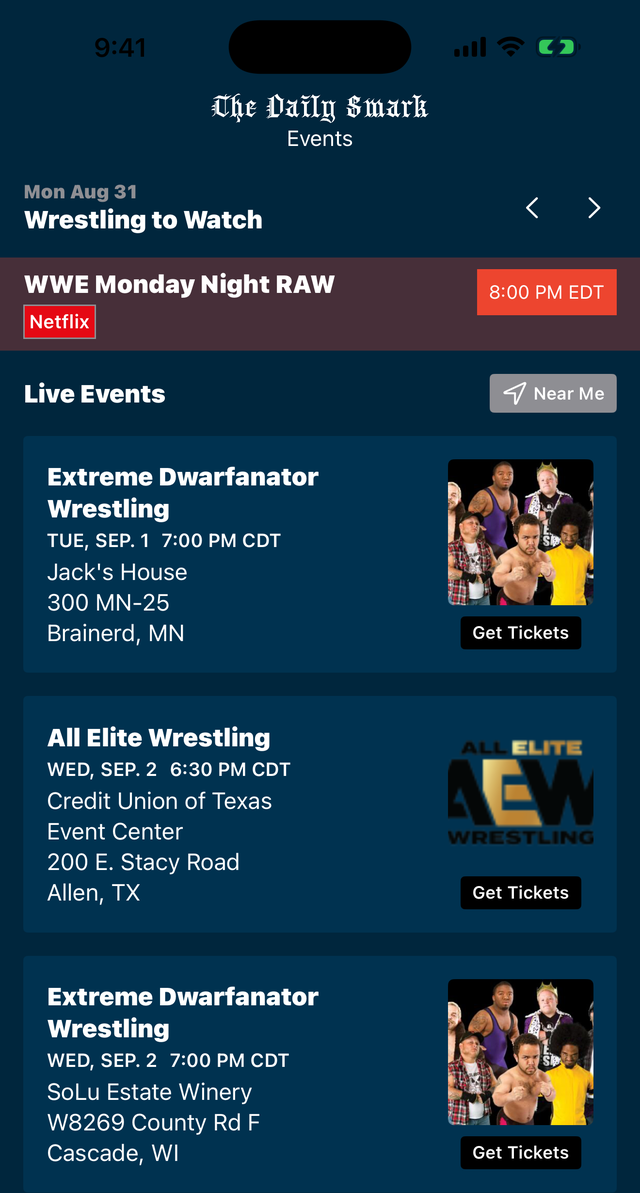
Wrestling to Watch has a new design. The old one had you swiping left and right to work out what was actually ready to watch. Now you can see it without touching anything.
There's a show and hide spoilers button on the Home feed now. On the day of a big show you can flip it off and back on as you go, instead of digging through settings every time.
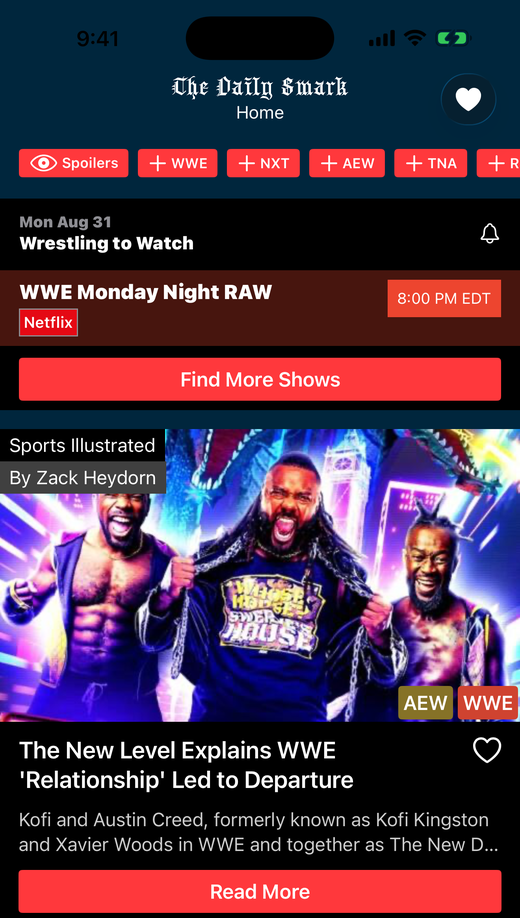
When an article comes through with an author attached, the app shows it. You can see it on the article above, credited to Sports Illustrated and to Zack Heydorn who wrote it. It's easier to see whose work you're reading, and the people doing the reporting get their name on it.
Some of the artwork on the Podcast Directory screen wouldn't load the first time you opened it. The app now caches every image it has loaded, so it's there when you come back. If you want that space back, there's a new Storage screen under the More tab that clears the cache.
On top of all that I've spent a good while fixing the smaller stuff, the kind you only notice when it stops happening. The full list is on the release history page.
If you run into anything, let me know through the More tab. I read all of it and I'll be glad to help.
— Rich